
AI for your business
AI consulting services that put AI to work for Canadian businesses
We help you get started with AI, get more from Microsoft Copilot, reduce repetitive work and build custom AI software. Our Canadian team helps you find the right approach for your business.
Partners

Microsoft Solutions Partner Data & AI

Claude Partner Network
What sounds most like your situation?
You don’t need to know which service you need. Pick what sounds familiar, and explore how we can help.
Getting started
We want to use AI but need some guidance
You’re not sure where to start, or you’ve tried tools like Copilot and your team isn’t getting much from them.
Improving how we work
We spend too much time on repetitive tasks
Your team keeps copying information, chasing approvals or sorting through documents. You want to make that work easier. AI takes on the steps that need reading or judgment, and workflow automation handles the routing in between.
Building something new
We need an AI tool built for our business
You want a tool that does a specific job for your staff or customers, or you want to add AI to software you already use.


A Canadian team that builds with you
AI tools only help when they’re connected to how work actually gets done. We start with your workflows and your data, set up the guardrails, and then build or configure the tools your team will use every day. Punchcard brings product, design and development together in one Canadian team. You work directly with the people doing the work, and we agree on scope and cost before you commit.
- Work with the people doing the work. Product, design and development in one Canadian team.
- Know the cost first. We agree on scope and cost before you commit.
- Anthropic partner. Punchcard is a member of the Claude Partner Network.
- AI with guardrails. We set up governance and permissions so AI only sees what each person is allowed to see.
Featured AI solutions
Getting started
- Copilot Consulting
- Claude Consulting
- AI Strategy
- AI Funding (RAII)
- AI Training
Improving how we work
- AI Automation
- AI Document Processing
- AI Data Readiness
- AI for Sales & CRM
- AI for Operations
- AI Governance
- AI Process Discovery
Building something new
- AI Knowledge Portal
- AI Chatbots
- AI Agents
- AI Integration
See where AI can take work off your team’s plate
Featured industries
Practical AI for construction teams
- Site report and daily log summaries
- Photo tagging for progress and deficiencies
- Safety inspection follow-ups
- Quote and estimate drafting
- Search across drawings, specs and RFIs
- Subcontractor invoice matching
- Equipment maintenance alerts
- Copilot set up for project teams
Fig. 01 · A few of the ways we can use AI in construction
Practical AI for energy and utilities
- Field report automation
- Inspection photo review
- Predictive maintenance alerts
- Regulatory report drafting
- Work order triage
- Search across asset records
- Call and outage summaries
- AI governance for operational data
Fig. 02 · A few of the ways we can use AI in energy and utilities
Practical AI for healthcare teams
- Referral and intake routing
- Policy and procedure search
- Credential expiry tracking
- Meeting and case note summaries
- Incident report triage
- Staff scheduling support
- Privacy-first AI governance
- Copilot readiness for admin teams
Fig. 03 · A few of the ways we can use AI in healthcare
Practical AI for financial services
- Document intake and data extraction
- Member service assistants
- Audit evidence collection
- Policy search for front-line staff
- Application pre-checks
- Risk alert triage
- Data governance consulting
- Copilot rollout with permission cleanup
Fig. 04 · A few of the ways we can use AI in financial services
AI tools we’ve built
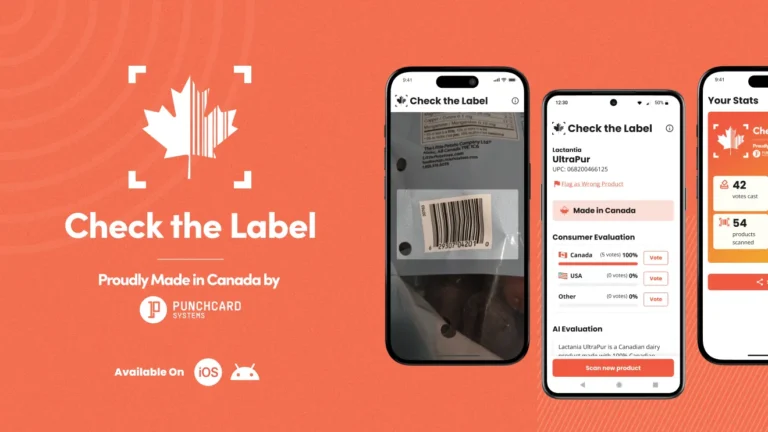
Check the Label · AI image recognition
Built in 72 hours with AI. Downloaded 40,000 times.
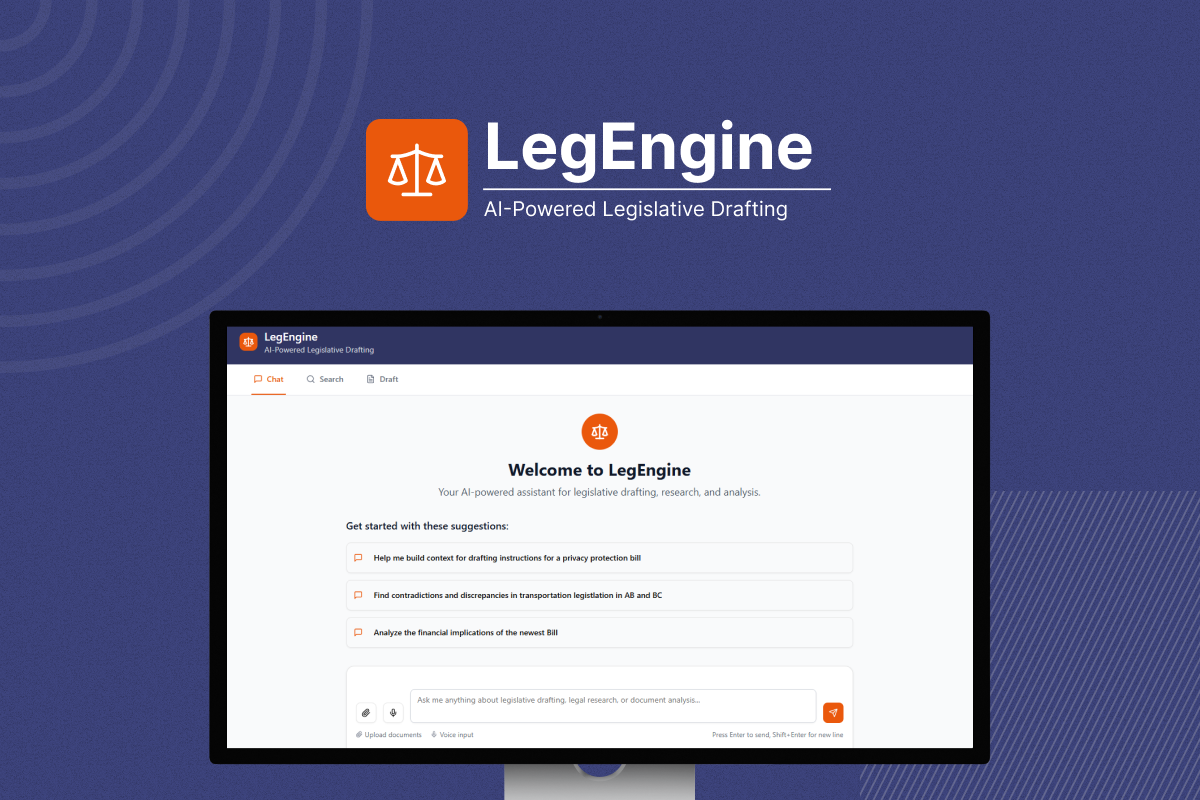
LegEngine · Built with Diplomat Consulting
An Alberta-built AI tool that helps governments draft, analyze and align legislation
AI consulting questions
What does an AI consultant actually do?
We help you work out where AI will save time in your business, get your data and Microsoft 365 ready for it, and then set up or build the tools your team will use. That can be a Copilot rollout, an automated workflow or a custom AI assistant. We start with the work that takes the longest, not with the technology.
How do we know if we’re ready for AI?
Start with an AI readiness assessment. We look at the work you want to improve, where your information lives, who can see what, and how your team works today. You get a short, practical plan: what to fix first, what to try, and what to leave alone.
We already pay for Microsoft Copilot. Why isn’t our team using it?
Usually because the groundwork isn’t there yet. Files are hard to find, permissions are out of date, and people haven’t been shown how Copilot fits their day. We clean up the data and permissions underneath, set Copilot up properly and train your team on real tasks.
How do you keep our data safe when we use AI?
Governance comes first. We set clear policies for how AI is used, tidy up permissions so AI only sees what each person is allowed to see, and keep your information inside tools you already control wherever possible. You decide what AI can and can’t touch.
Can you add AI to software we already use?
Yes. We connect AI to your existing software, databases and Microsoft 365, so you don’t have to replace the systems that already work. Common examples are AI search across your documents, assistants that answer staff questions, and agents that handle multi-step tasks.
How much does AI consulting cost?
It depends on what you need. A free assessment gives you a scoped and costed plan, so you know the full cost before you commit. Builds are a fixed fee, and you own what we build.
Do you work with businesses outside Alberta?
Yes. We’re a Canadian team based in Edmonton and work with organizations across Canada. You work directly with the people doing the work.
Exploring AI for your business?
Wondering where AI could actually save time or make work easier? Tell us what’s taking too long, or what you’re curious about. We’ll help you explore practical possibilities.


Real people, here to help
We’ll get back to you within one business day
"*" indicates required fields
Your information is used to respond to your enquiry. See our Privacy Policy for details.