
Nonprofits
Nonprofit technology consulting that stretches every dollar
Volunteer lists in spreadsheets, donor data in an old database, and grant reports pieced together by hand. We build and fix the systems behind your programs, so more of your time goes to the people you serve.
Your mission is big. Your team and budget aren’t.
Volunteer lists, donor records, and grant reports live in different places. We connect the tools you already use and fix what’s missing so staff can spend more time on your programs.
Free up time for programs.
Less admin for staff who wear three hats.
Keep donors and volunteers close.
Sign-ups, thank-yous, and follow-ups happen on time.
Report impact with confidence.
Program data is ready for funders and your board.
Spend wisely.
Know the cost before you commit, and use what you already have.


What we build for nonprofits and charities
Custom software for programs and donors
- Citizen science apps
- Offline data collection apps
- On-demand content platforms
- Volunteer and donor portals
- Program registration portals
- Grant application portals
- Member directories
- Event registration
- Case management tools
- Client intake forms
- Impact reporting dashboards
- Bilingual mobile apps
Fig. 01 · A few of the custom nonprofit apps we can build
Modernize your donor and program systems
- Old donor databases
- Access and FileMaker databases
- Spreadsheet volunteer lists
- Paper intake forms
- Old member portals
- Old websites with member features
- Desktop admin tools moved to the web
- Unsupported servers moved to Azure
- Data migration from old databases
- Reporting from old databases
- Old event systems
- Staff single sign-on
Fig. 02 · A few of the nonprofit systems we can modernize
Automate program paperwork
- Funding request reviews
- Volunteer applications
- HR position requests
- Donor thank-you follow-ups
- Grant reporting reminders
- Board package assembly
- Program intake routing
- Event follow-ups
- Purchase approvals
- Staff onboarding
- Expense approvals
- Program dashboards
Fig. 04 · A few of the nonprofit workflows we can automate
Practical AI for nonprofit teams
- Grant writing support
- Donor communication drafts
- Impact report drafts
- Program data summaries
- Policy search for staff
- Volunteer question assistants
- Meeting summaries
- Board report summaries
- Translation of program materials
- AI training for staff
- AI governance policies
- Copilot readiness
Fig. 05 · A few of the ways we can use AI at nonprofits
What this looks like for nonprofits

Birds Canada
Grew volunteer bird checklists by 400%.

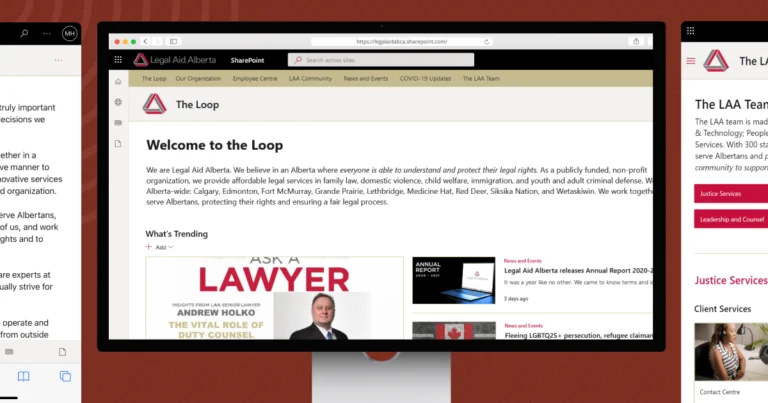
Legal Aid Alberta
Moved 300+ staff onto one modern intranet.
How we find the right fix
Five steps. You know the cost before any building starts.
Understand how you work.
It starts with a free assessment. We look at your programs, your people, and the tools you already have.
Find a solution.
We show you what to build, what to improve, and what to leave alone. Sometimes the answer is to use what you have.
Agree.
Scope, fixed fee, timeline, and the number that tells us it worked. All in writing before you commit, so you can plan around funding cycles.
Build.
A small team of developers, a designer, and a product lead works with you every day, and your staff and volunteers test it as we go.
Grow over time.
We stay. Some of our nonprofit clients have worked with us since 2019.
Nonprofit technology questions
How can AI agents help with nonprofit operations?
AI agents take on repetitive multi-step work like drafting donor thank-yous, summarizing program data, sorting volunteer questions, and preparing first drafts of grant reports. Staff review and approve everything. Start with one task that eats hours every week.
Which AI is best for nonprofits?
The best tool is the one your team will use safely. Many nonprofits already have Microsoft 365, so Copilot is a practical place to start once files and permissions are organized. Others need a simple assistant for one task. We help you choose based on your work.
Is AI worth investing in for small nonprofits?
Often, yes, if you start small. Staff training and a clear AI policy cost little and save time quickly. Bigger builds make sense when one task clearly eats hours every week. If it isn’t worth it yet, we’ll tell you.
How does AI improve donor retention for nonprofits?
AI can help you thank donors faster, personalize updates with program results, and flag donors who haven’t given in a while. People still build the relationship. AI helps them keep up.
Can you work with our old donor database?
Yes. We can connect to it, clean up the data, or move it to a modern system without losing years of records. A free assessment shows which option makes sense before you spend anything on a build.
Let’s make your time and budget go further.
Tell us which system, spreadsheet, or report takes the most time away from your programs. We’ll help you find the next step.
- A Canadian team based in Edmonton.
- Clear scope and fixed fees before you commit.
- Support after launch.


Real people, here to help
We’ll get back to you within one business day
"*" indicates required fields
Your information is used to respond to your enquiry. See our Privacy Policy for details.