
Forms & Approvals
Keep approvals moving with a SharePoint form builder
Requests get lost between PDFs, inboxes and spreadsheets. Craft Forms brings forms and approval workflows into SharePoint, giving your team one place to submit requests, make decisions and check progress, without chasing emails.

Partner designations
- Modern Work
- Data & AI (Azure)
- Digital & App Innovation
One place for forms, approvals and request status
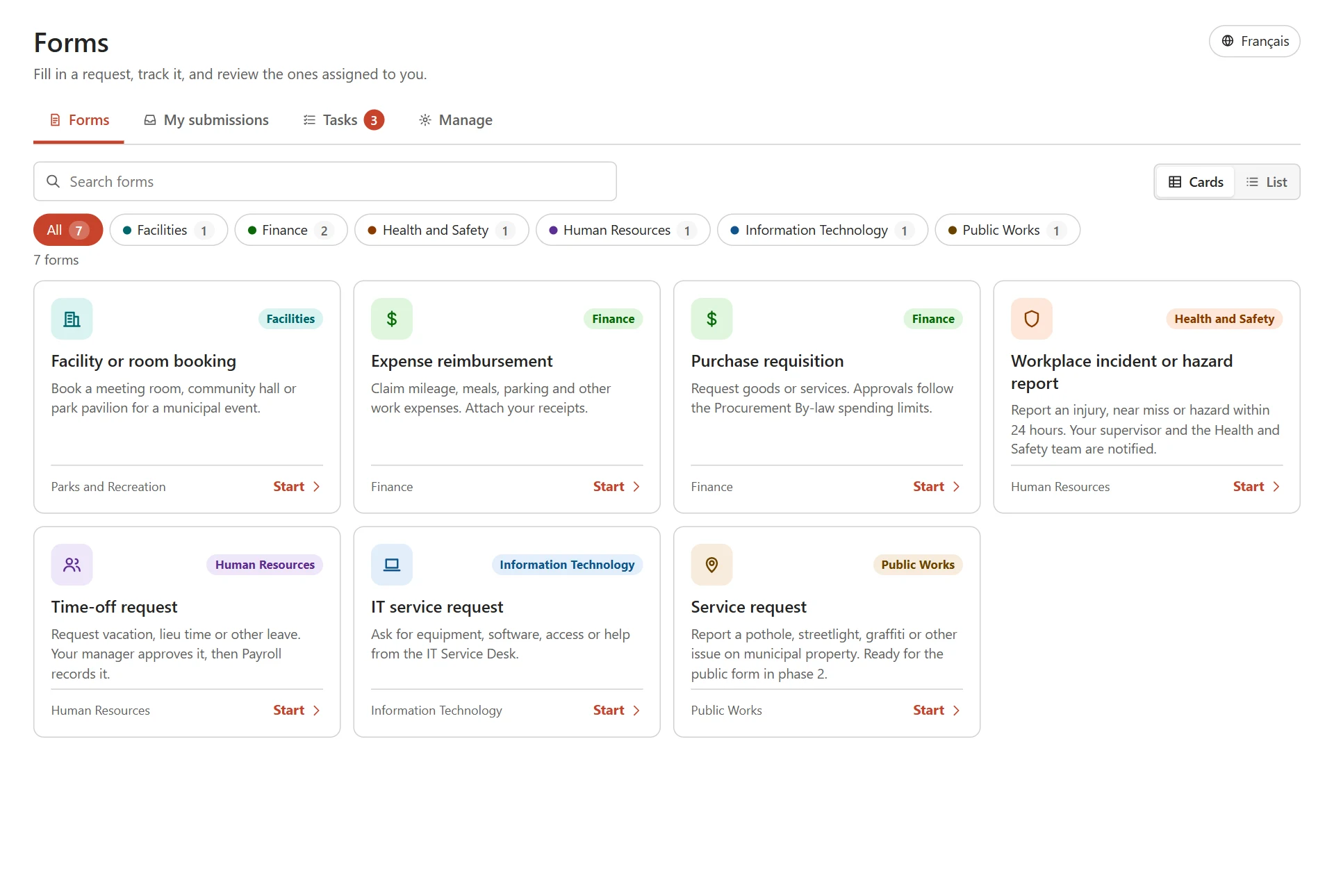
Create a SharePoint workflow from first answer to final decision. Staff find forms in one catalogue, reviewers work from a task list, and people can check their own request status.
We install Craft Forms, rebuild your priority forms and train the people who will manage them. We agree the setup, connections, support and cost before work starts.
What’s included
- A form catalogue for staff
- A task list for reviewers
- Request status for the people who submit
- Installation in your SharePoint
- Your priority forms rebuilt
- Training for the people who manage forms


Spend less time managing the work around a request
How Craft Forms works
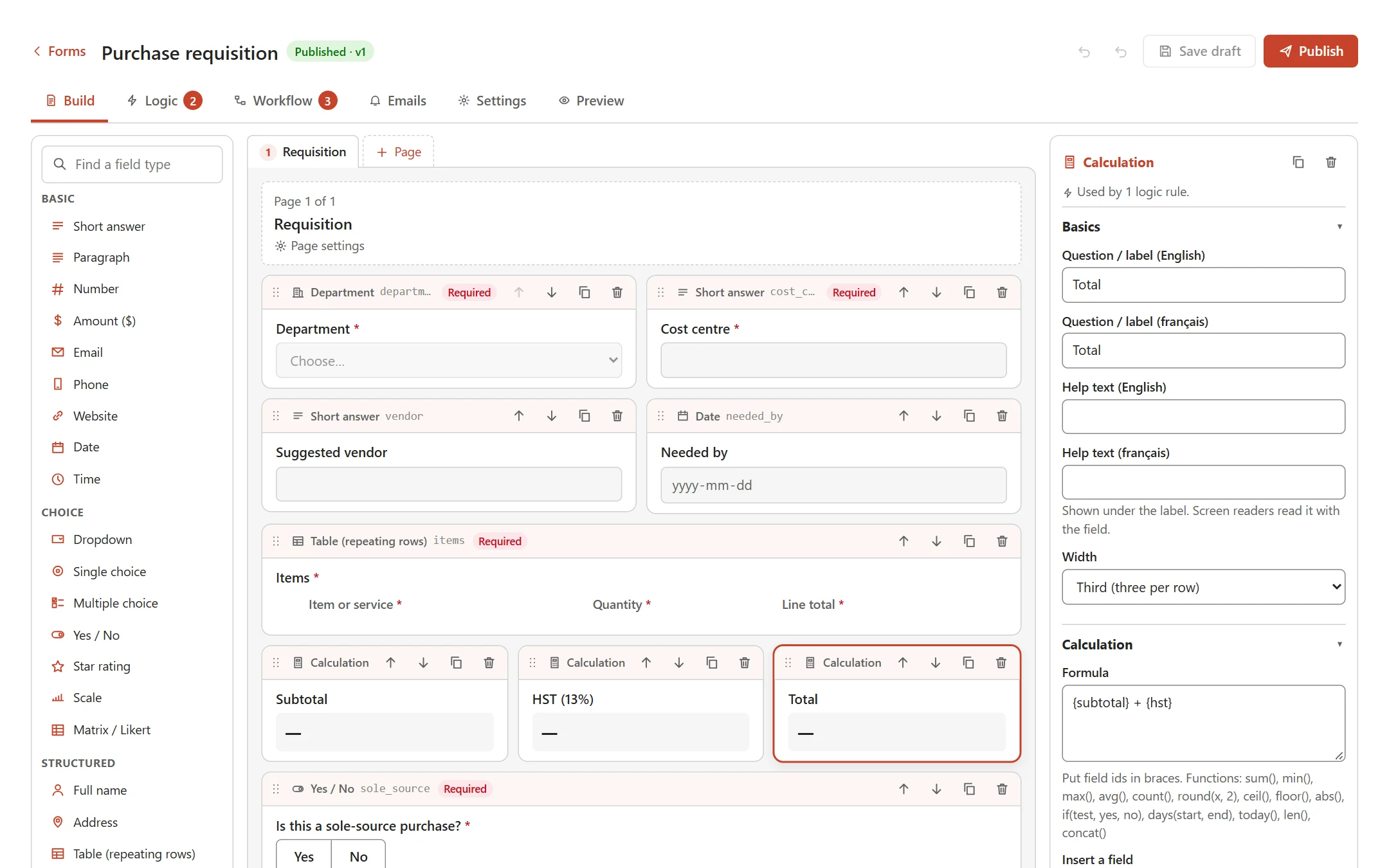
Create forms your team can change
Use a SharePoint forms designer with 30 field types, templates, conditional questions and calculations. Process owners can update forms in the browser without writing code.
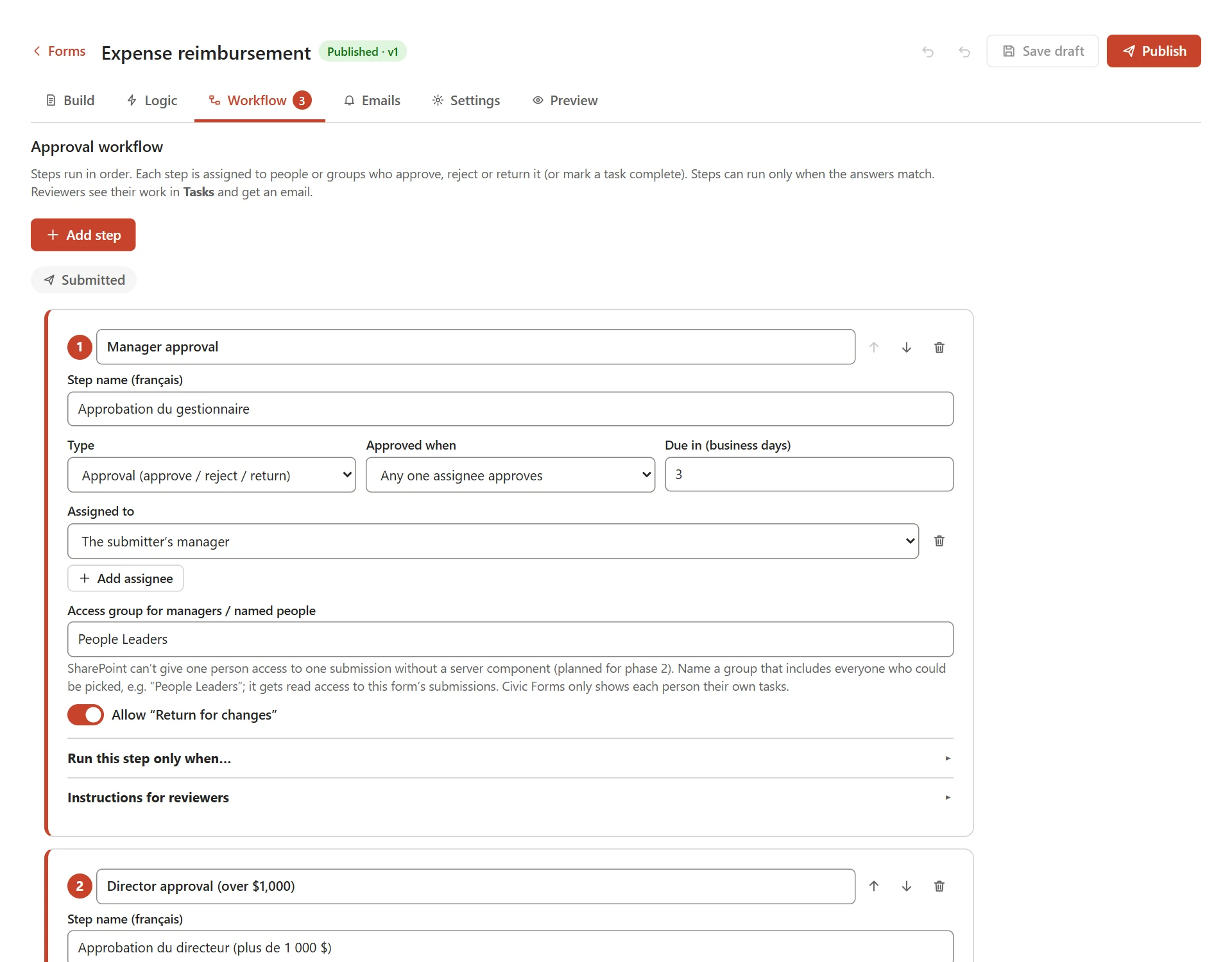
Keep SharePoint approval workflows moving
Set up a SharePoint approval workflow for people, teams or managers, with conditional steps, due dates and a route to return requests for changes.
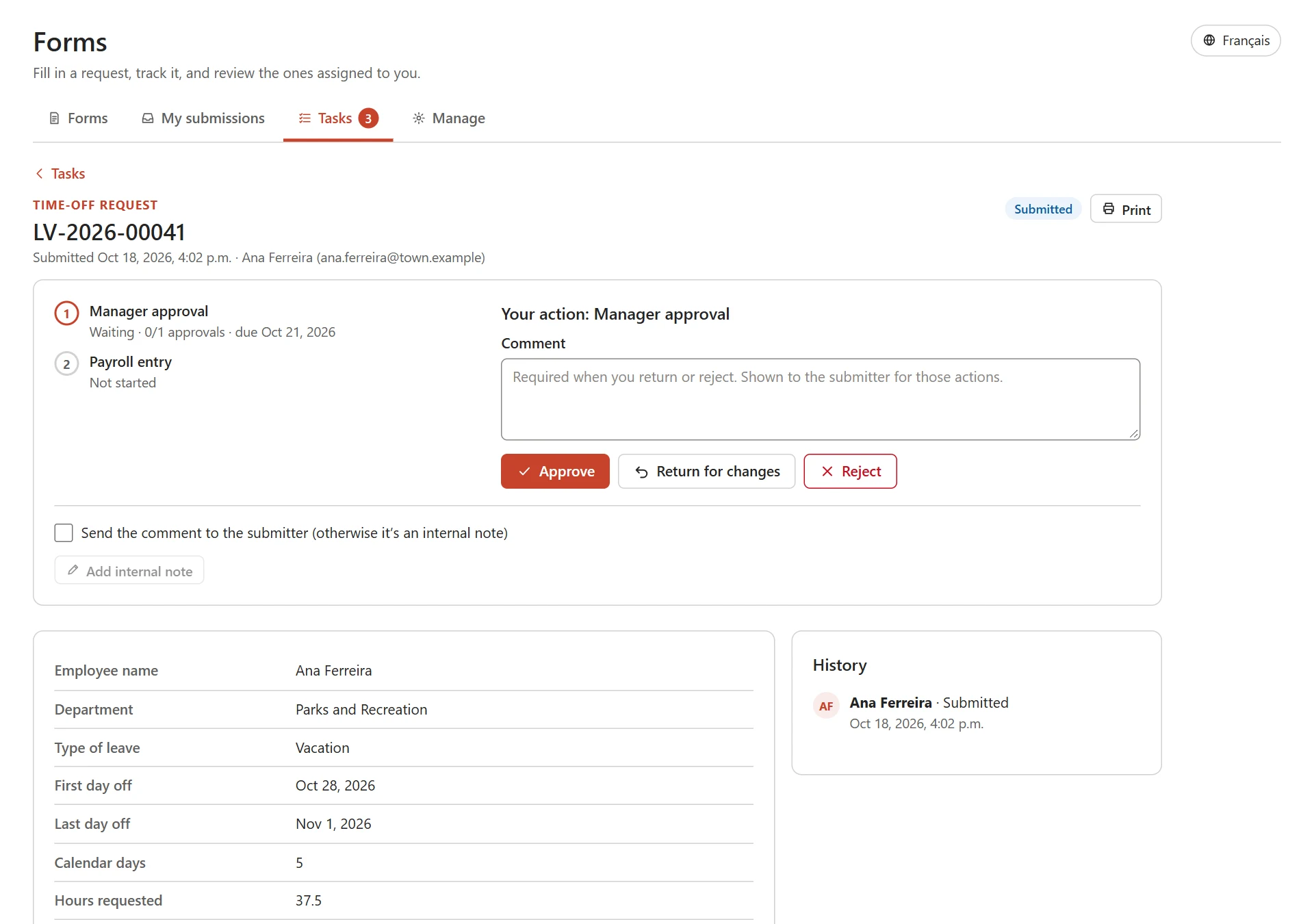
See progress without chasing an update
Give staff their own submission status and reviewers a task list. Managers can see overdue work, follow the decision history and export records to Excel.
Make forms easier to complete anywhere
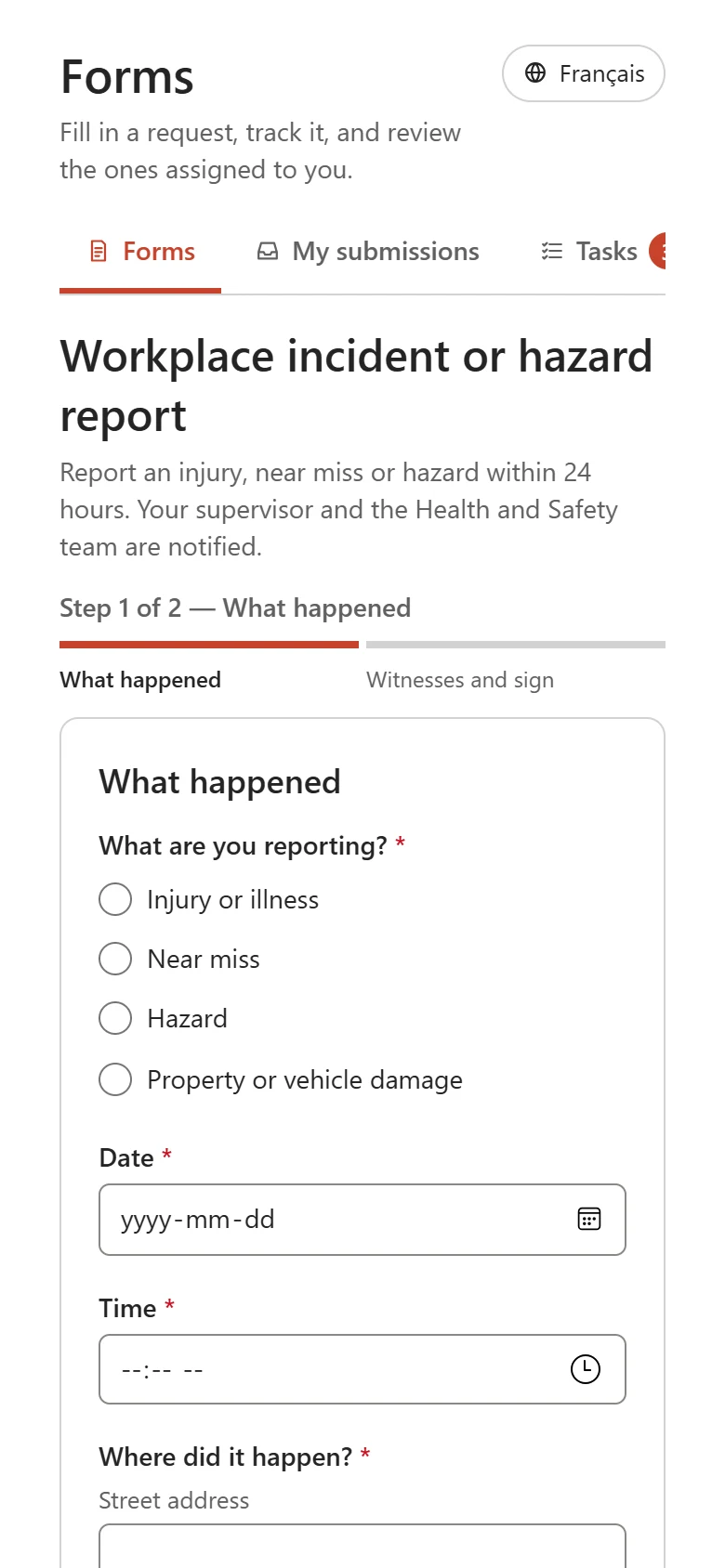
Use the same forms in SharePoint, Teams and mobile browsers. People can save a draft and return to it, wherever they work.
SharePoint forms for the work your teams handle every day
Common uses
- Time off and onboarding
- Expenses and purchase requests
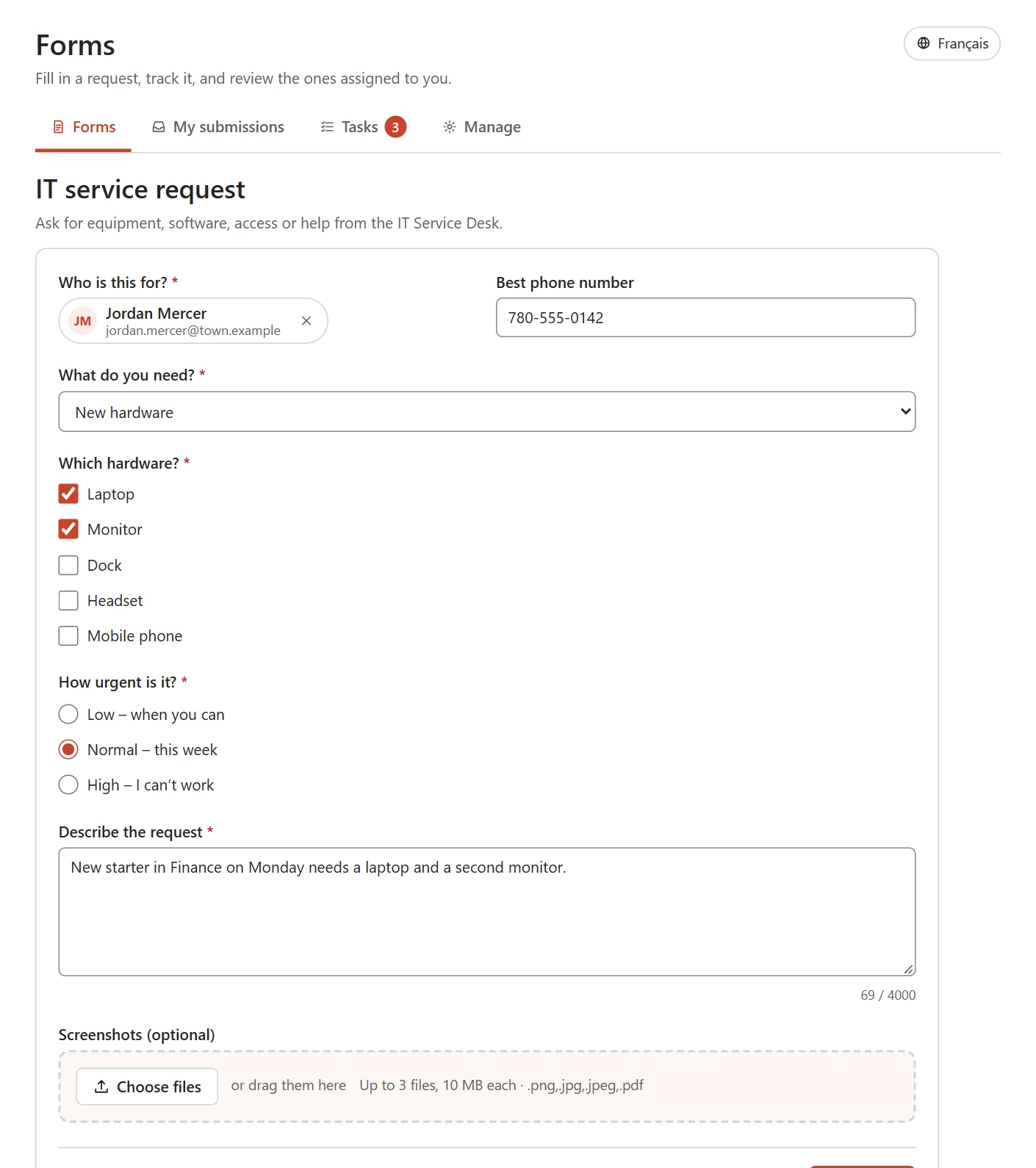
- IT equipment and access
- Incident reports and inspections
- Facilities bookings and maintenance
When is Craft Forms the right fit?
Compare these options if you need a Microsoft Forms alternative or an InfoPath replacement for internal requests.
| Option | A useful fit for |
|---|---|
| Microsoft Forms with Power Automate | Straightforward data collection, with a Power Automate approval workflow added. |
| Power Apps | An application with tailored screens or more complex business logic. |
| Craft Forms | Reusable internal forms with approvals and request tracking built into SharePoint. |
Questions about Craft Forms
Is Craft Forms an InfoPath replacement?
It can be an InfoPath alternative for internal forms and approvals. We review your PDFs, spreadsheets or InfoPath forms, then rebuild the agreed process. Existing records and integrations are assessed separately; automatic conversion is not assumed.
Do users need extra licences?
Core forms and approvals use Microsoft 365 and SharePoint without Power Apps licences. Some Power Automate connections need extra licensing. We confirm the product and Microsoft licensing requirements before you commit.
Can it work with a Power Automate approval workflow?
Submissions and decisions can trigger flows to update other systems, send reminders or post in Teams. We review any existing Power Automate approval workflow before connecting it with Craft Forms.
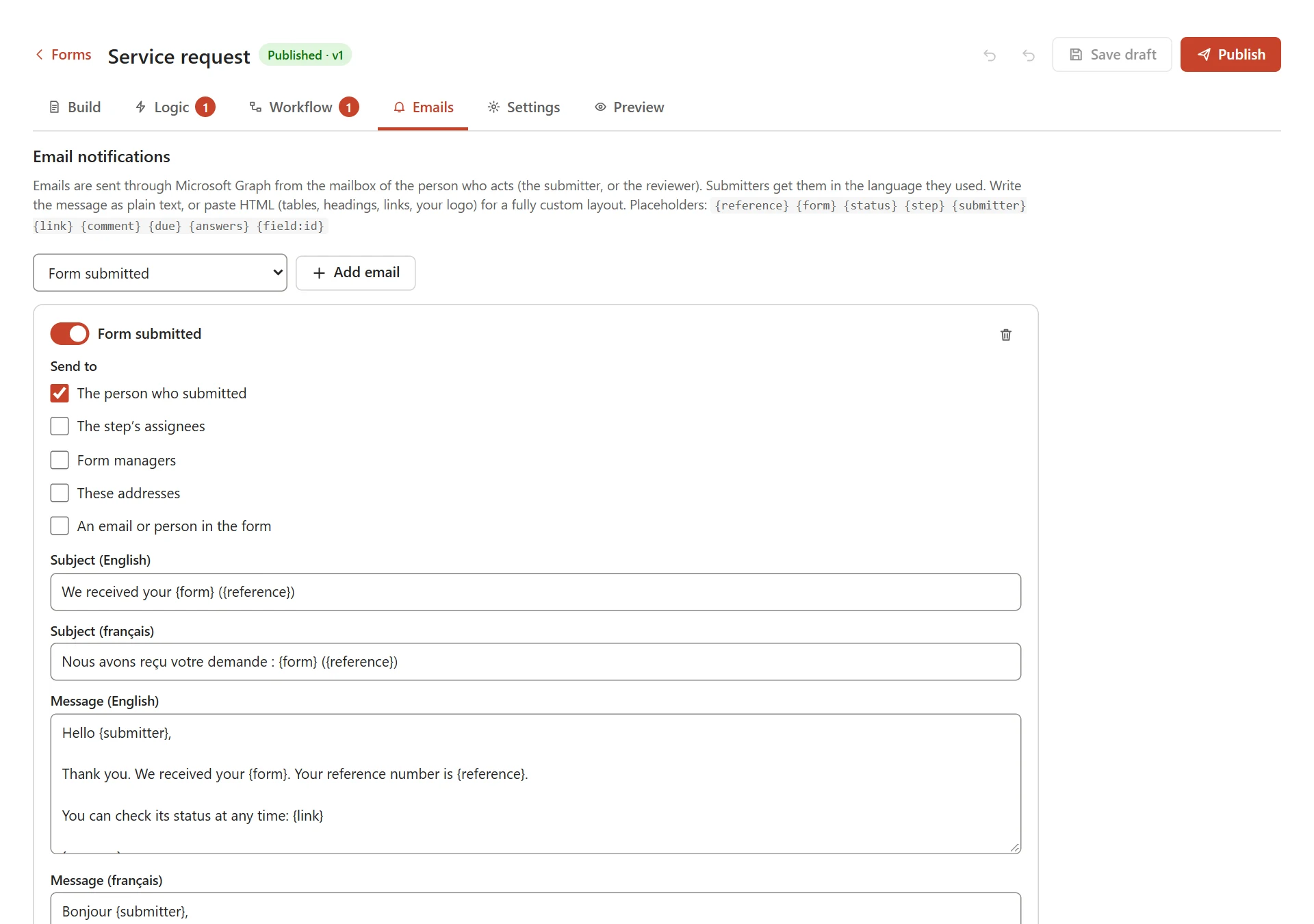
See the email notification settings
Can the public fill in our forms?
Craft Forms currently requires Microsoft 365 sign-in, including for authorized contractors or volunteers. Anonymous public forms are not included. Bring external-access requirements to the first conversation.
Where do submissions go, and who can see them?
Forms and submissions stay in SharePoint lists in your Microsoft 365. People see their own submissions; authorized reviewers see the forms they manage. Submissions are excluded from search, with access and retention governed by your setup.
What is the difference between Microsoft Forms and SharePoint forms?
Microsoft Forms is built for quick surveys and data collection. SharePoint forms keep answers in SharePoint lists, so they suit internal requests that need approvals, permissions and a record. Craft Forms adds the form builder, approval steps and status tracking.
Is it accessible and available in French?
Craft Forms supports keyboard use, screen readers, clear error messages and typed signatures, with English and French interfaces. We test your forms during rollout.
Works with
Using other business systems? We can assess the connections needed to fit Craft Forms into your existing workflow.
Need a better way to handle forms and approvals?
Bring a form, an approval path or a process that takes too much chasing. Talk through your needs with the team that would help set it up.


Real people, here to help
We’ll get back to you within one business day
"*" indicates required fields
Your information is used to respond to your enquiry. See our Privacy Policy for details.